

Less decision fatigue
Start with a useful suggestion instead of scrolling through an endless feed of recipes after a busy day.
A practical starting point for dinner
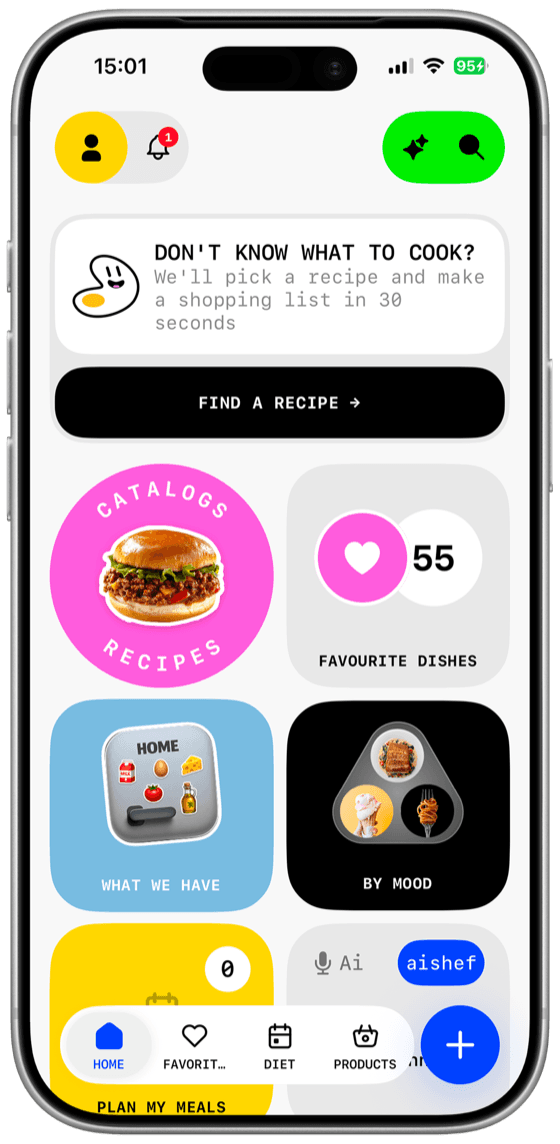
Dishday helps turn your preferences, available time, saved recipes, and food at home into meal ideas you can actually place in a weekly plan.
The short answer
An AI meal planner should reduce the work between “what should I cook?” and a usable decision. Dishday does not stop at generating a recipe. A suggestion can become a saved recipe, a meal in your weekly plan, and a source of ingredients for your grocery list.
The goal is not to hand every food decision to AI. It is to give you a sensible starting point while keeping the final choice, edits, and safety checks in your hands.
Why use it
Start with a useful suggestion instead of scrolling through an endless feed of recipes after a busy day.
Use available time, cooking confidence, preferences, and food at home to narrow down realistic options.
Keep control of the week. Replace a meal, move it to another day, or use one suggestion without planning everything.
Bring ingredients from planned recipes into one list and compare it with what you already have.
Useful context
A weekday dinner with 20 minutes available needs a different suggestion from a slow weekend meal.
Preferences and restrictions help narrow the options, although ingredients and allergens must always be checked manually.
Starting with pantry or fridge items can make a suggestion more useful and reduce unnecessary purchases.
A practical meal should match the techniques and effort you are comfortable using today.
Your own collection gives you familiar options instead of forcing every meal to be newly generated.
Quick meals and more involved recipes can be placed where they fit instead of treating every day as identical.
Four connected steps
Tell Dishday what you feel like eating, how much time you have, or which ingredients you would like to use.
Check the suggested dish, ingredients, and instructions. If it is not right, choose another option.
Keep the recipe in your personal library or place the meal into a day and meal slot in your weekly plan.
Collect the required ingredients, remove anything already in your pantry, and mark products as you shop.
Honest AI
AI-generated or imported food information may be incomplete or inaccurate. Dishday is a planning assistant, not a medical or food-safety authority.
Before cooking, verify ingredients, allergens, quantities, nutrition information, expiration dates, safe internal temperatures, and whether the instructions make sense for your equipment.
A flexible system
Rigid automatic plans often fail when schedules change or a suggested meal does not appeal to the household. Dishday lets you begin with one dinner, combine AI suggestions with familiar recipes, and replace meals without abandoning the rest of the week.
If your main goal is organizing the whole week, read the complete Dishday meal-planning guide
Questions and answers
An AI meal planner uses information such as preferences, available ingredients, time, and requested meal type to suggest dishes or help structure a weekly menu. The user should still review every suggestion.
Dishday lets you choose or save meals and place them into breakfast, lunch, snack, and dinner slots throughout the week. You can begin with one meal and build the rest gradually.
Yes. Food at home can be used as a starting point for finding a suitable meal, helping you use existing products before buying more.
Ingredients from selected recipes can be brought into an organized grocery list. Review quantities and remove products you already have before shopping.
Yes. You can create recipes yourself or import accessible recipe information from a public link, then review and edit the saved card.
AI can make mistakes and does not replace a doctor or dietitian. Always verify ingredients, packaging, allergens, nutrition information, food temperatures, and cooking instructions yourself.
Dishday is available for iPhone, iPad, and Apple Watch. Current operating-system requirements are listed in the App Store.
Dishday
Find one useful idea, save it, and turn it into the beginning of a practical weekly plan.