Choose meals, save recipes, plan your week, and organize what to buy in one connected app. A dinner idea in a minute · Plans and groceries stay connected · For iPhone, iPad, and Apple Watch
DISHDAY / GROCERIES↗
Take with you
Add a dinner — ingredients will appear here
+
A good week starts with one meal.
Shared ingredients — once
Dishday connects recipes, food at home, weekly planning, and groceries. Change a meal and the rest of the workflow stays clear.
Save a few recipes, add meals to your plan, and prepare one organized grocery list.
For real life
A plan that works for you
01
Busy people
Decide what to cook before the workweek gets hectic instead of searching for a recipe every evening.
02
Families
Spread meals across the week, account for preferences, and prepare one grocery list for the household.
03
Home cooks who want variety
Discover new ideas through the recipe collection, themed selections, or the AI cooking assistant.
04
Anyone with recipes everywhere
Import recipes from public links and keep them in one personal, editable cookbook.
Everything stays connected
One connected workflow instead of scattered recipe links and lists
01
See the whole week at once
Arrange breakfast, lunch, and dinner by day so demanding meals and quick options fit real life.
02
Ingredients from every selected meal in one place
Collect products from several recipes, check off purchases, and stop holding the list in your head.
03
A personal cookbook instead of scattered saved links
Dishday turns accessible recipe text into a structured card you can review and edit.
04
Start with what you already have
Add pantry items and use them as the starting point for a suitable meal.
05
AI cooking assistant
Describe your ingredients, available time, or desired meal to get an idea you can save to your plan.
06
More than one way to choose
Browse recipes, use themed collections, search from pantry items, or ask for a quick suggestion.
A helpful assistant, not a replacement for your judgment
Dishday’s AI features can process your input and suggest options. Before cooking, always verify ingredients, allergens, food temperatures, and expiration dates yourself.
“
Real App Store reviews
The week feels a little lighter.
★★★★★ 5.0 out of 5 · 6 ratings in the Ukraine App Store
Reviews published in the Ukraine App Store · Translated from Russian and Ukrainian
★★★★★
Good app
“I used it for a few days. I like that I no longer have to spend ages deciding what to cook in the evening. The interface is simple and convenient.”
★★★★★
Convenient app
“In the evening I quickly planned what to cook for the week, and the grocery list was already ready. There is no need to keep everything in my head.”
★★★★★
Great app — I would love more breakfasts
“The app really makes life easier. Instagram imports and recipe collections save a lot of time. I would just love to see more breakfast collections.”
Dishday connects recipes, food at home, weekly planning, and groceries. Change a meal and the rest of the workflow stays clear.
Weekly meal planning software for real life
When you look for meal-planning software, the real goal is not another calendar. The useful part is moving from saved recipes to a plan you can actually follow. In Dishday, you can save meals, place them into days, replace one dinner when plans change, and keep the rest of the week intact.
This works for everyday home planning: quick weeknight dinners, slower weekend cooking, school or office lunches, and meals based on food already in the kitchen.
Meal planner app with a grocery list
A separate grocery list breaks easily: the recipe is saved in one place, groceries are in notes, and some ingredients are already at home. Dishday connects the steps: choose meals, build the week, then prepare one shopping list for the store.
Before shopping, you can review the list yourself, remove items you already have, combine repeated ingredients, and keep only what you still need to buy.




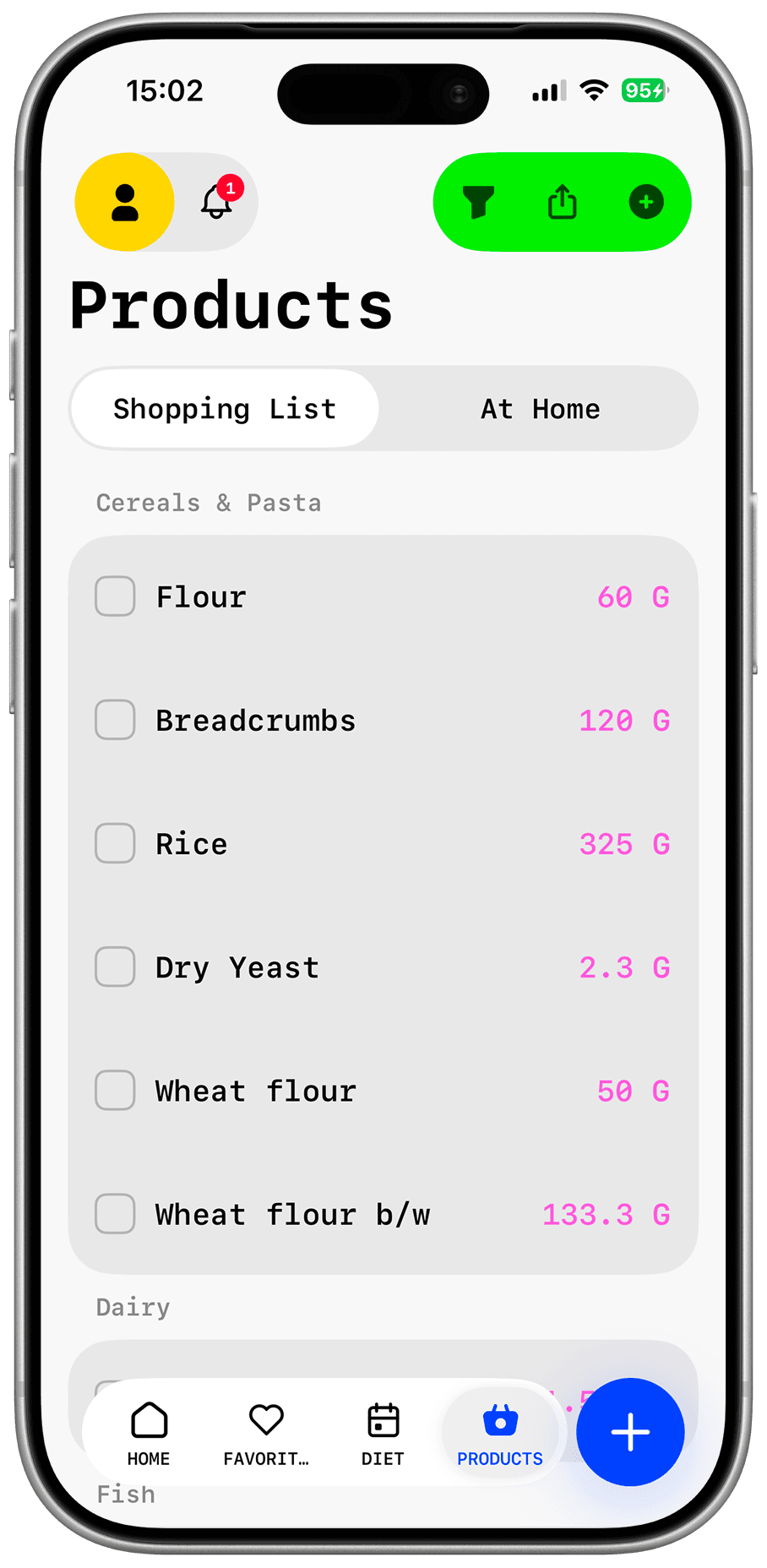
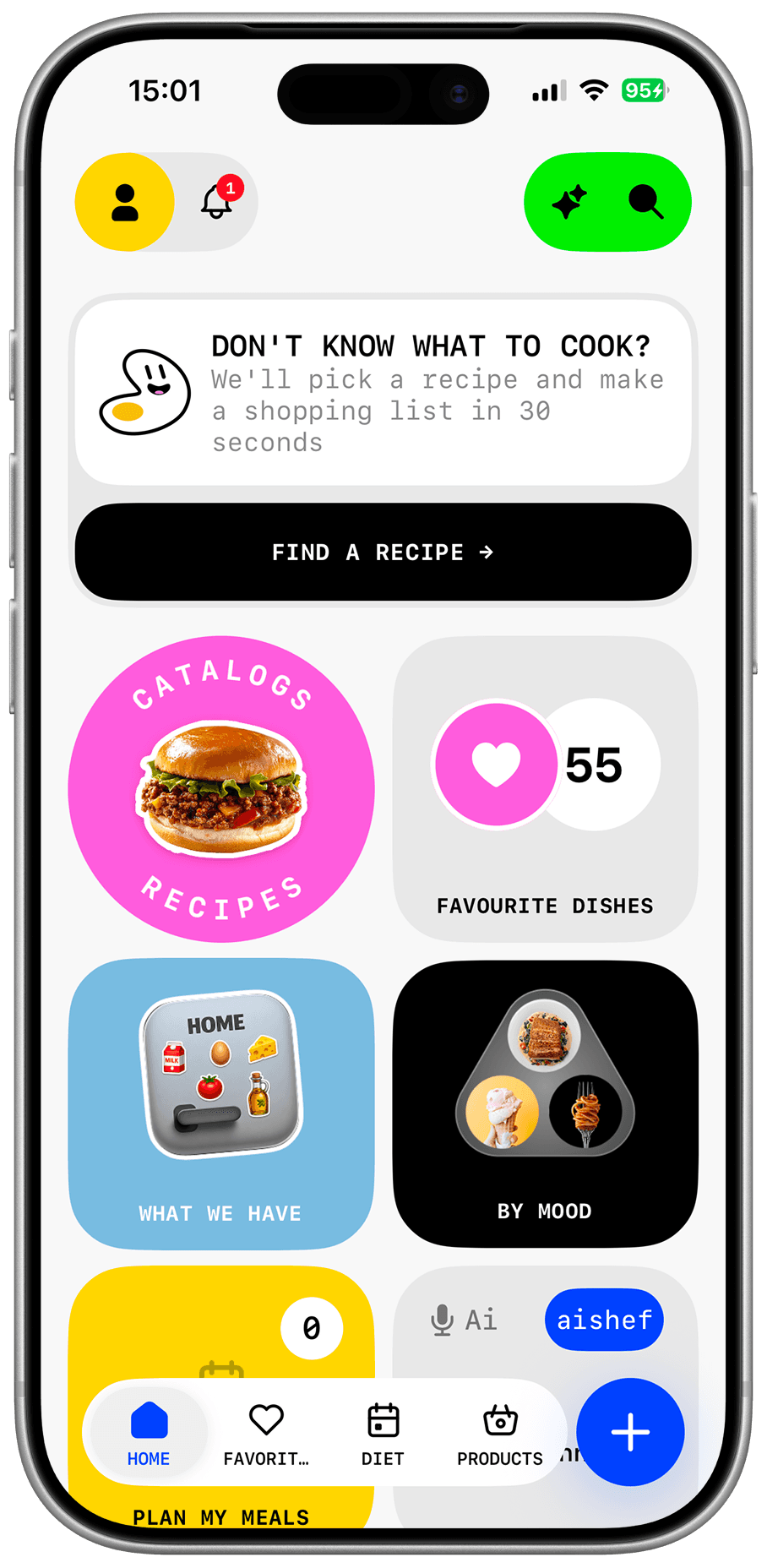 Real Dishday screen · EN interface