

What goes on the list
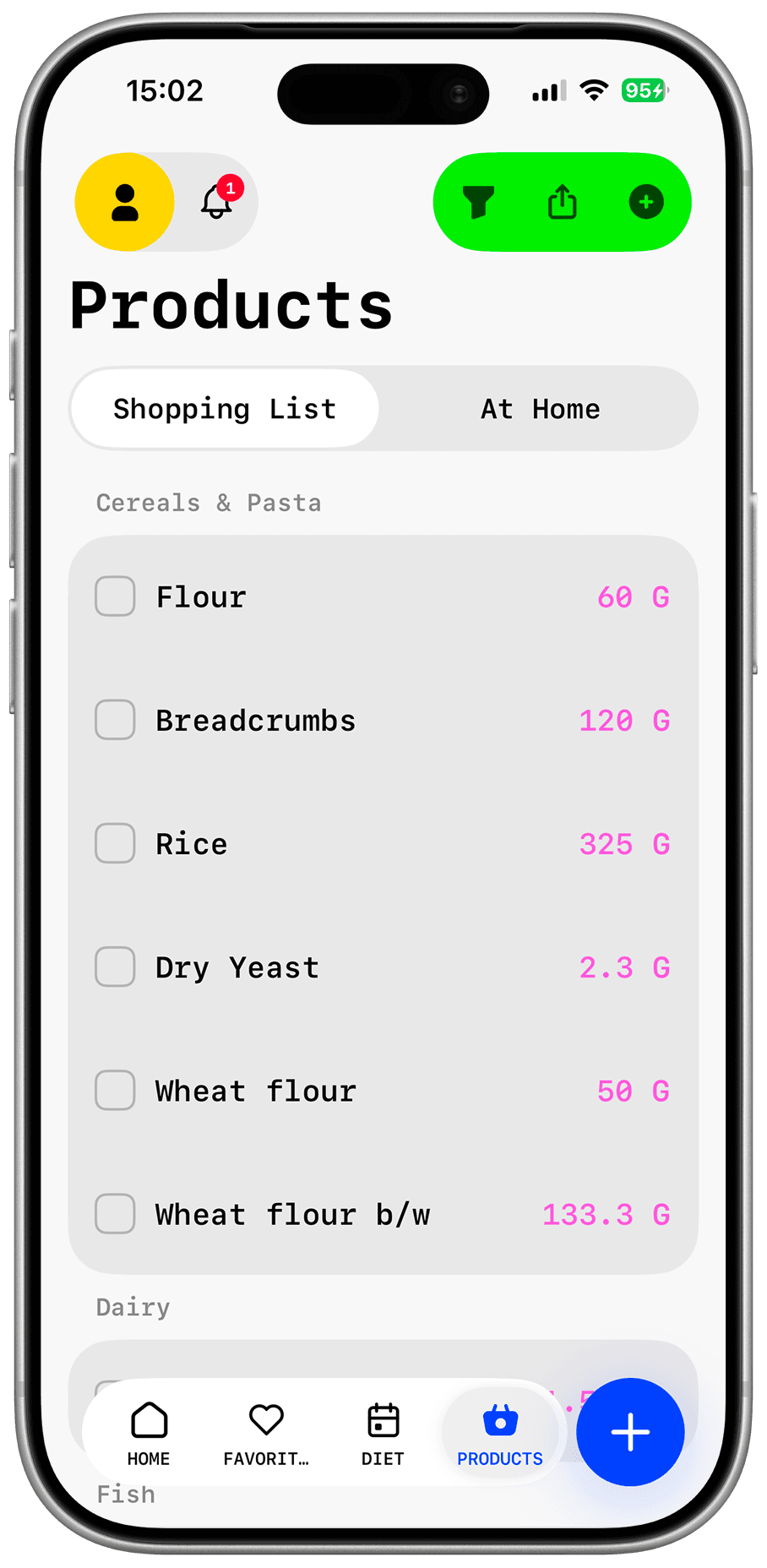
Chicken, pasta, rice, vegetables, cottage cheese, eggs, and sour cream from the selected recipes appear in one place.
Shopping without rewriting ingredients
Pick meals for the next few days, let Dishday bring their ingredients into one grocery list, review what you already have, and shop with a plan.
The short answer
A useful grocery list does not start as an empty note. It starts with the meals you actually plan to make. In Dishday, you save recipes or place meals into your week, then bring their ingredients into one list. Before shopping, review what you already have, what you still need, and what can be removed.
From recipes
The easiest mistake is writing groceries first and deciding meals later. Dishday flips the order: choose meals first, then collect the ingredients. Products from selected recipes can be brought into one list instead of copied from notes, screenshots, and websites.
That matters when you plan several dinners at once. If two recipes need rice, eggs, or cheese, you see it in one place instead of keeping a running total in your head.
Plan + groceries
When the grocery list is separate from the weekly menu, it quickly loses context. A few days later, you may not remember which recipe needed the herbs, yogurt, or chicken.
Dishday keeps groceries connected to planned meals. If you swap a dinner or remove a recipe, you can review the list with the plan instead of rewriting everything from scratch.
Example
Say you plan three meals: chicken pasta, vegetable rice, and cottage-cheese pancakes for breakfast. Instead of three separate lists, Dishday helps you turn them into one shopping list you can review.
Chicken, pasta, rice, vegetables, cottage cheese, eggs, and sour cream from the selected recipes appear in one place.
If rice, eggs, or oil are already at home, remove them before shopping instead of noticing at the shelf.
You shop for specific meals rather than vague possibilities. After shopping, the same list still supports cooking and planning the next few days.
Who it is for
Build groceries around real breakfasts, lunches, and dinners.
See what is needed for several meals and what is already covered.
Review the list before the store instead of reopening recipes in the aisle.
Start with planned meals and food at home, not impulse shopping.
Features
Add products from selected recipes into one store list.
Keep groceries understandable because each item belongs to planned meals.
Remove ingredients you already have before shopping.
Mark items as purchased so the list stays usable in the store.
Add everyday groceries that are not tied to a recipe.
Use the grocery list from your wrist when it is inconvenient to pull out your phone.
Three steps
Save a recipe, choose from the catalog, or add meals to the weekly plan.
Bring products from selected recipes into one grocery list.
Remove what you already have and check off items as you buy them.
Control
Dishday reduces manual work, but the final grocery list stays under your control. Review quantities, package sizes, allergens, and what is already at home.
Questions and answers
Choose recipes or meals, move their ingredients into the grocery list, and review which products you already have at home.
Yes. Dishday connects the weekly meal plan with groceries, so list items stay tied to actual meals.
Dishday helps you compare the list with food at home, but you should still review items and quantities before shopping.
Yes. You can add regular grocery items manually or by voice even when they are not tied to a recipe.
Yes. It helps collect products for several breakfasts, lunches, and dinners in one place.
Dishday is built for iPhone, iPad, and Apple Watch. Current requirements are listed in the App Store.
Dishday
Dishday
Save recipes, add them to your plan, and prepare a grocery list without rewriting ingredients by hand.